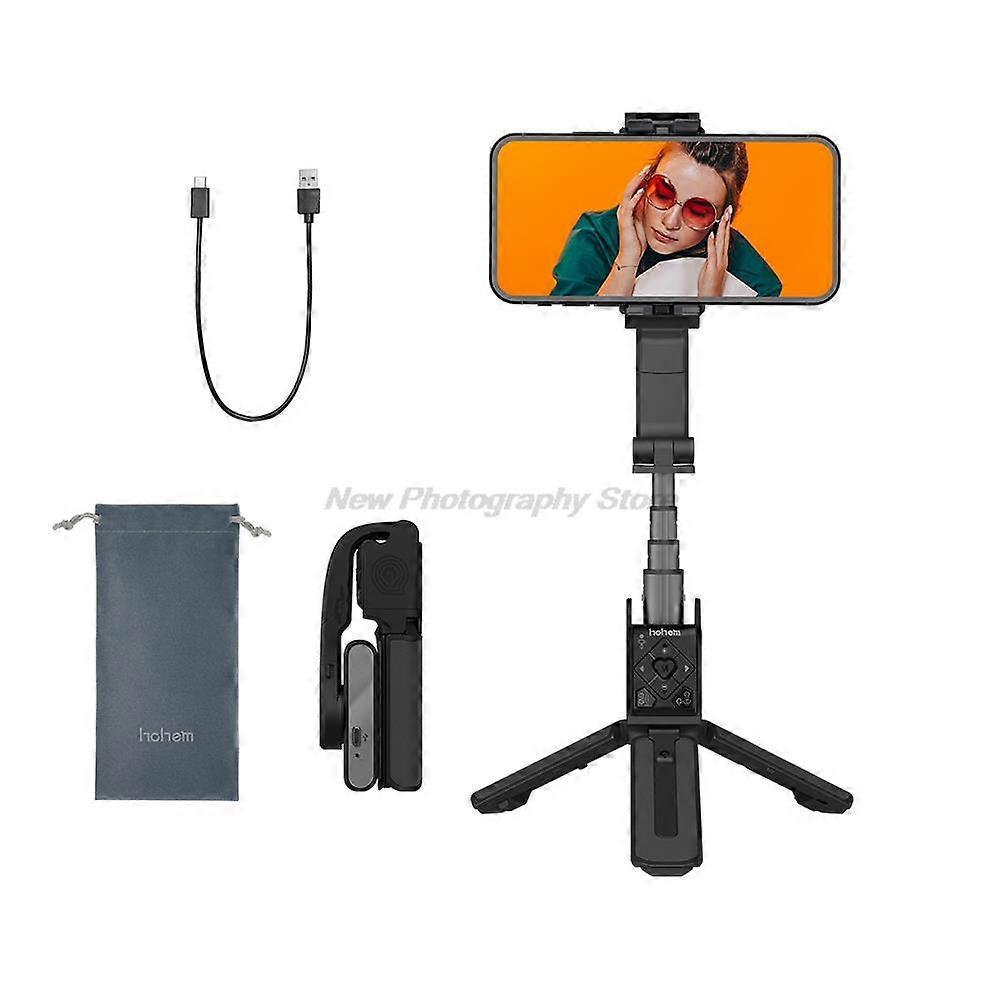
Handheld Gimbal Stabilizer Hohem iSteady Q Phone Selfie Stick Extension Rod Adjustable Tripod with Remote Control for Smartphone

٣٤٩٫٠٠ ر.س.‏
والشحن مجاناً

Handheld Gimbal Stabilizer Hohem iSteady Q Phone Selfie Stick Extension Rod Adjustable Tripod with Remote Control for Smartphone

  • العلامة التجارية: Unbranded

Handheld Gimbal Stabilizer Hohem iSteady Q Phone Selfie Stick Extension Rod Adjustable Tripod with Remote Control for Smartphone

  • العلامة التجارية: Unbranded
سعر البيع القطاعي المقترح: ٤٥٩٫٠٠ ر.س.‏
السعر: ٣٤٩٫٠٠ ر.س.‏
أنت توفر: ١١٠٫٠٠ ر.س.‏ (23%)
البائع:
٣٤٩٫٠٠ ر.س.‏
والشحن مجاناً

في المخزون

نقبل وسائل الدفع الآتية

الوصف

Handheld Gimbal Stabilizer Hohem iSteady Q Phone Selfie Stick Extension Rod Adjustable Tripod with Remote Control for Smartphone

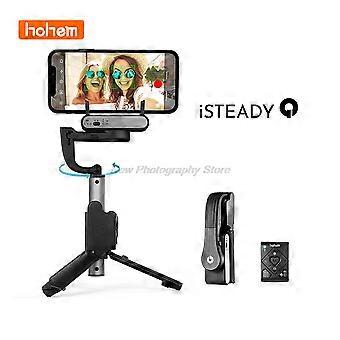
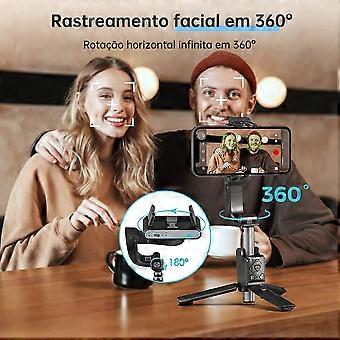
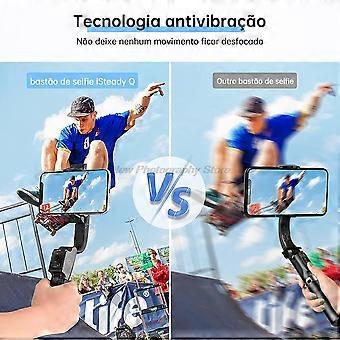
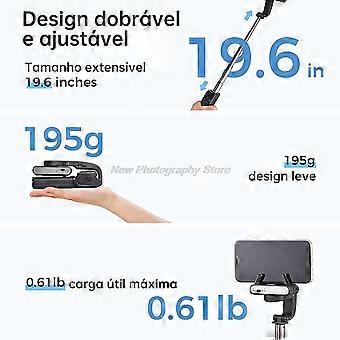
SpecificationsModel: iSteady QWeight: 195gColor: Black and WhiteFolded Size:140*54*36mmMax Length: 550mmCompatible Phones:weight: iSteady Q combines the features of the selfie stick, tripod, gimbal, and livestreaming equipment. iSteady Stabilization Technology Built-in single-axis brushle motor, iSteady Q let you easy to make smooth video. Innovative Design of the Rotatable Arm Rotate the arm by 90° to change the direction of rotation of the phone clamp, iSteady Q can transform into a 360° desktop gimbal. Face Tracking Technology iSteady Q is able to rotate your smartphone 360° horizontally. It can automatically track your face, follow your dynamic movement, and be your exclusive photography aistant. Auto-rotation300° Inception Mode iSteady Q can rotate the phone to make a spinning shot and dreamy rotation effect. 360° Horizontal Rotation iSteady Q can rotate the phone 360° horizontally to take a panoramic video. Detachable Remote Control No matter when you take a selfie alone, take a group photo, or take photos of pets from a low angle, the control is in your hands. Snap A Selfie When Traveling Solo The remote control and tripod allow you to take a selfie from a distance, and don't need to ask someone to help you take pictures. Take a group photo with friends Stretching iSteady Q and simply pre the shutter button to capture all your friends together in one photo. Low Angle Shooting with Lovely Pets Inverting iSteady Q to quickly capture adorable pets and children. A low-angle shot will inspire a fresh perspective. Features of Remote Control iSteady Q can not only quickly snap a photo but also can start video making, switch between the portrait mode and landscape mode, and remotely control the rotation angle of the mobile phone. Moment Mode Try Moment Mode in Hohem Joy app,somesimple cinematic templates are here for you. Don't need any editing skills,just click and enjoy. The Integrated design iSteady Q is designed with an extendable stick, tripod, and remote control. It is more acceible, easy-to-pack, and never worry about losing any acceories. Motor Lock Design iSteady Q can use as a standard selfie stick if you lock the motor to fix the phone clamp and it will enter the low power mode. -Turn the motor lock to the left, and the phone clamp is not able to rotate. -Once locked, the phone clamp won't rotate. *After locking the motor, even if iSteady Q has no battery, it still can be used as a standard selfie stick. Support Smartphone Native Camera iSteady Q supports native cameras and most beauty camera apps, which ensures high-quality images and video. Delicate Design in Every Detail Quick Mounting of Mobile Phone Skin-friendly, non-slip leather handle, ergonomic design Black or white, pick your favorite color Quickstart Guide 1.Unfold the stabilizing stick 2.Phone mounting and balancingTurn phone camera towards the leftTurn 'hohem' logo towards the left 3.Power onLong pre the power button for 3s 4.Download the Hohem Joy app and follow the prompts to connect via Bluetooth 5.Start taking photo/video (Bluetooth connection required): Single pre the shutter button Q&A How to connect the stabilizing stick to the phone app? 1.Download the Hohem Joy app in the app store 2.Enable the phone Bluetooth 3.Follow the prompts in the Hohem Joy app homepage to connect 4.Connection failed? *If the connection is unsucceful, please turn on the phone's Bluetooth and Location, cancel other connected Bluetooth devices, re-start the stabilizing stick and Hohem Joy app, and try to connect again. What are the important functions of the remote control? 1. Turn on the remote control: Turn the power button "ON" 2.Start taking photo/video (Bluetooth connection required): Single pre the shutter button 3.Switch between the portrait mode and landscape mode: Single pre the function button 4.Control the rotation of stabilizing stick: Long Pre Left/Right Button How to turn the stabilizing stick into desktop use? 1.Unfold the tripod and put it on the table 2.Manually rotate 90° along arm's bevel cut 3.Rotate phone clamp to level with the desktop 4.Unfold the phone clamp, and clamp the phone in the middle of the phone clamp
  • هوية Fruugo: 232926093-498150410
  • EAN: 9194462700156

معلومات سلامة المنتج

يرجى الاطلاع على معلومات سلامة المنتج الخاصة بهذا المنتج الموضحة أدناه

يتم توفير المعلومات التالية من قبل بائع التجزئة المستقل التابع لجهة خارجية الذي يبيع هذا المنتج.

ملصقات سلامة المنتج

CE Mark
تحذيرات السلامة:
  • Keep out of reach of children: to prevent accidental ingestion, misuse or injury.
  • Always follow instructions: to ensure proper use and prevent malfunctions or accidents.
  • CE applies only to electronic products

التسليم والرد

يُرسل خلال 24 ساعة

  • STANDARD: مجاناً - التسليم بين الخميس 18 ديسمبر 2025 – الجمعة 26 ديسمبر 2025 - مجاناً

يُشحن من الصين.

نحن نبذل قصارى جهدنا لضمان أن تصلك المنتجات التي تطلبها بالكامل وطبقاً المواصفات التي حددتها. إلا أنه في حال تلقيك طلب غير كامل أو أغراض تختلف عن تلك التي طلبتها أو كان هناك سبب آخر يدعوك لعدم الرضاء عن الطلب، فيمكنك رد الطلب أو أي منتجات يتضمنها الطلب واسترداد ما دفعته من أجل تلك الأغراض بالكامل. عرض سياسة الرد الكاملة

تفاصيل امتثال المنت

يرجى الاطلاع على معلومات الامتثال الخاصة بهذا المنتج الموضحة أدناه.

يتم توفير المعلومات التالية من قبل بائع التجزئة المستقل التابع لجهة خارجية الذي يبيع هذا المنتج.

الجهة المصنعة:
توضح المعلومات التالية تفاصيل الاتصال الخاصة بالجهة المصنعة للمنتج ذي الصلة والذي يُباع على Fruugo.

  • HongKong Zhengtaishun Trading CO., Limited
  • HongKong Zhengtaishun Trading CO., Limited
  • Room 27E, Block A, Block B, Xiandaizhichuang, No. 1078, Huaqiang North Road, Fuqiang Community, Huaqiang North Street, Futian District
  • Shenzhen
  • CN
  • 518000
  • 917277199@qq.com
  • 18820202091
  • https://www.fruugo.co.uk/search?merchantId=19464

الشخص المسؤول في الاتحاد الأوروبي:
توضح المعلومات التالية معلومات الاتصال الخاصة بالشخص المسؤول في الاتحاد الأوروبي. الشخص المسؤول هو المُشغل الاقتصادي المُعيّن والكائن في الاتحاد الأوروبي والمسؤول عن التزامات الامتثال المتعلقة بالمنتج ذي الصلة الذي يُباع داخل الاتحاد الأوروبي.

  • E-CrossStu GmbH
  • E-CrossStu GmbH
  • 69 Mainzer Landstrasse
  • Frankfurt am Main, Hessen
  • DE
  • 60329
  • E-CrossStu@web.de
  • +49 69332967674