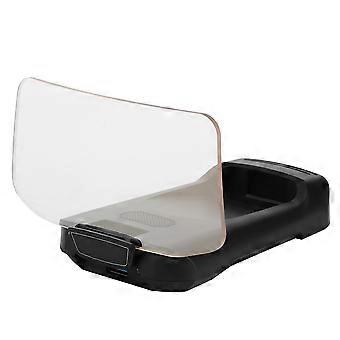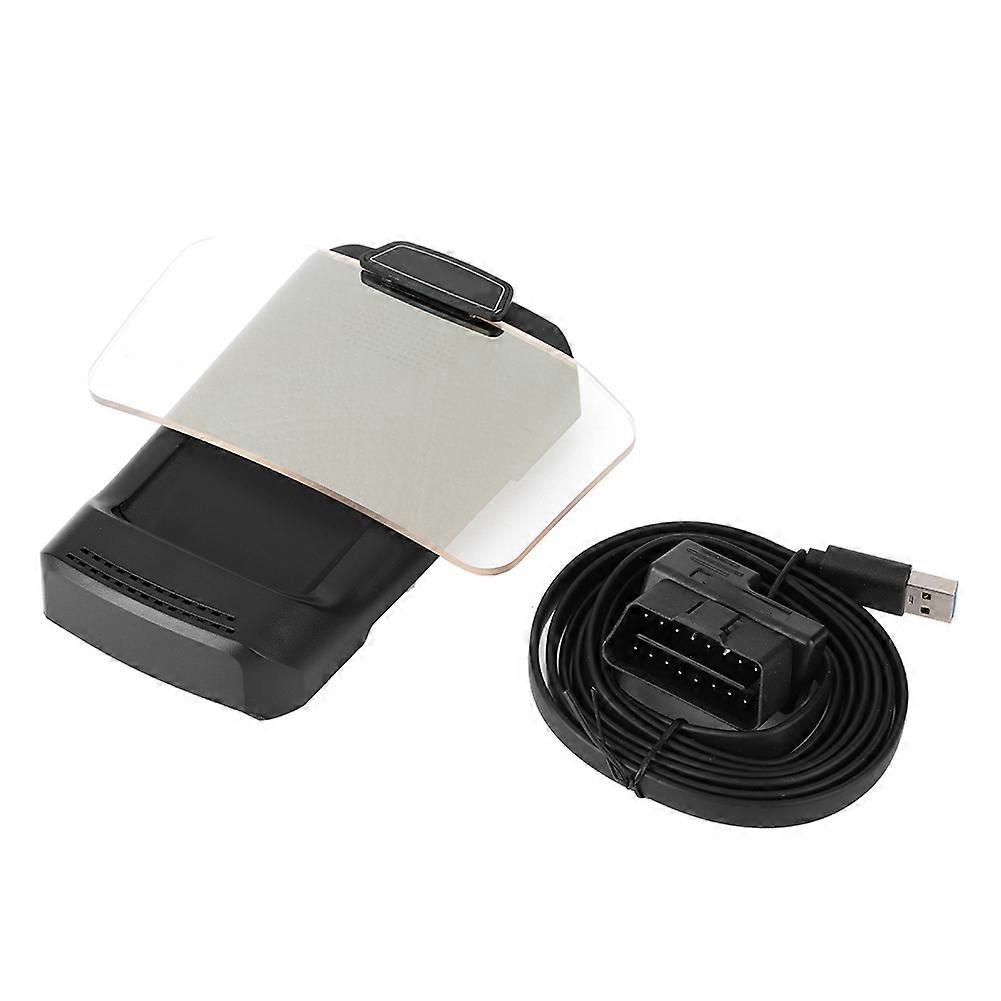
X500 HUD GPS Navigation Display Car Projection Speedometer E2U311

٦٧٤٫٠٠ ر.س.‏
والشحن مجاناً

X500 HUD GPS Navigation Display Car Projection Speedometer E2U311

  • العلامة التجارية: Unbranded
البائع:

X500 HUD GPS Navigation Display Car Projection Speedometer E2U311

  • العلامة التجارية: Unbranded

٦٧٤٫٠٠ ر.س.‏

وفّر ٢٥٠٫٠٠ ر.س.‏ (27%)

السعر الأصلي

٩٢٤٫٠٠ ر.س.‏
متبقي في المخزون ٩ فقط
والشحن مجاناً

سياسة الإرجاع لمدة 14 يوما

البائع:

٦٧٤٫٠٠ ر.س.‏

وفّر ٢٥٠٫٠٠ ر.س.‏ (27%)

السعر الأصلي

٩٢٤٫٠٠ ر.س.‏
متبقي في المخزون ٩ فقط
والشحن مجاناً

سياسة الإرجاع لمدة 14 يوما

طرق الدفع:

الوصف

X500 HUD GPS Navigation Display Car Projection Speedometer E2U311

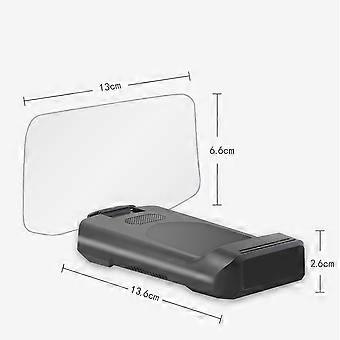
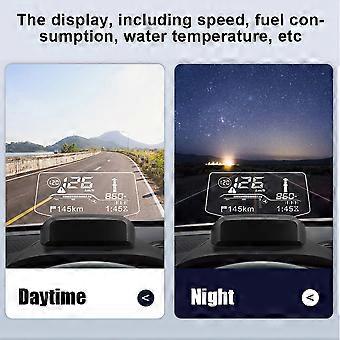
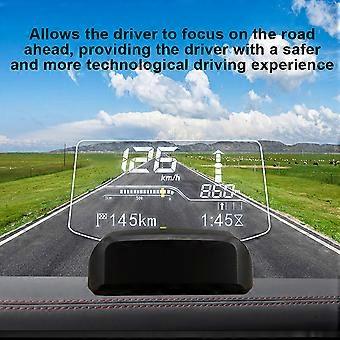
Feature 1、The integrated smart HUD is a head-up display device that connects the car's ECU and mobile phone. 2、This product is installed on the dashboard and displays the navigation information of the car or mobile phone in the HUD via Bluetooth transmission. 3、The display, including speed, fuel consumption, water temperature, etc. 4、Allows the driver to focus on the road ahead, providing the driver with a safer and more technological driving experience. 5、Precision manufacturing ensures stable performance and long service life.Condition: 100% Brand NewItem Type: HUD Navigation DisplayMaterial: ABSColor: BlackSize: Approx.2.6x13.6cm/1.02x5.35inFitment:12V USA cars USA Made after 2000.01.0112V EU gasoline cars manufactured after 2004.01.01EU 12V diesel cars made after 2004.01.0112V Asian cars manufactured after 2009.01.01How to Install:1. Insert the OBD plug into the vehicle's OBD interface.2. Start the vehicle and plug the other end of the OBD power cable into the power jack on the back of the HUD.The vehicle's OBD position is generally the one shown in the figure. Tips: The Bluetooth HUD will automatically start after the vehicle is on, and the vehicle will automatically turn off after the vehicle is off. Some vehicles may be delayed from 3 to 5 minutes.3. Attach the HUD to the soft rubber base first, or attach the base with the attached glue to secure it.4. Place the HUD on the instrument panel, select a position where the information on the screen is clearest, and confirm this position.5. Open the downloaded Anavi navigation software, click on the HUD in the upper left corner for Bluetooth connection, the software will automatically scan to cxat BT, click to connect to the HUD host. After the connection is successful, the connection will be made automatically afterwards.6. HUD parameter setting: Click the setting icon in the lower right corner to Enter the setting function, and then click HUD setting to enter the setting.7. Download the map offline. Click the settings icon in the lower right corner to enter the settings feature, then click the Offine map to enter the offline map download. Select the country and region you need to download the offline map to use it. .wang-edit-text{ font-family:'Arial' !important; } .wang-edit-text table { border-top: 1px solid #000; border-left: 1px solid #000; } .wang-edit-text table td, .wang-edit-text table th { border-bottom: 1px solid #000; border-right: 1px solid #000; padding: 3px 5px; } .wang-edit-text table th { text-align: center; }Package List1 x HUD Navigation Display1 x User Manual1 x OBD Cable
  • هوية Fruugo: 305554145-684527792
  • EAN: 7987249503833

التسليم والرد

يُرسل خلال ٣ أيام

  • STANDARD: مجاناً - التسليم بين الأربعاء 28 يناير 2026 – الاثنين 16 فبراير 2026 - مجاناً

يُشحن من الصين.

نحن نبذل قصارى جهدنا لضمان أن تصلك المنتجات التي تطلبها بالكامل وطبقاً المواصفات التي حددتها. إلا أنه في حال تلقيك طلب غير كامل أو أغراض تختلف عن تلك التي طلبتها أو كان هناك سبب آخر يدعوك لعدم الرضاء عن الطلب، فيمكنك رد الطلب أو أي منتجات يتضمنها الطلب واسترداد ما دفعته من أجل تلك الأغراض بالكامل. عرض سياسة الرد الكاملة

تفاصيل امتثال المنت

يرجى الاطلاع على معلومات الامتثال الخاصة بهذا المنتج الموضحة أدناه.

يتم توفير المعلومات التالية من قبل بائع التجزئة المستقل التابع لجهة خارجية الذي يبيع هذا المنتج.

الجهة المصنعة:
توضح المعلومات التالية تفاصيل الاتصال الخاصة بالجهة المصنعة للمنتج ذي الصلة والذي يُباع على Fruugo.

  • Advance Parts Zone
  • Shenzhen Mike Technology Co. Ltd.
  • No. 108 Donghuan 1st Road
  • Yousong Technology Building 4-B01
  • Shenzhen
  • CN
  • 518000
  • miekortech@hotmail.com
  • +8613714168241

الشخص المسؤول في الاتحاد الأوروبي:
توضح المعلومات التالية معلومات الاتصال الخاصة بالشخص المسؤول في الاتحاد الأوروبي. الشخص المسؤول هو المُشغل الاقتصادي المُعيّن والكائن في الاتحاد الأوروبي والمسؤول عن التزامات الامتثال المتعلقة بالمنتج ذي الصلة الذي يُباع داخل الاتحاد الأوروبي.

  • Ben XU
  • REP Europe GmbH
  • Annastr. 9 B
  • Griesheim
  • Germany
  • 64347
  • info@rep-europe.de
  • +4915751253212
  • http://www.rep-europe.de/